Choosing Time Simulation
(XTS Module Only) When using XTS, the option Time Simulation appears in the Analysis Menu. This drops down to two menu choices: Steady Only and Transient (Figure 1). Users can thus build models with XTS activated that include steady-state and transient simulations.
The Transient option requires the Transient Control Group to be defined in addition to the other typical settings. The Steady Only option makes the Transient Control Group settings optional.
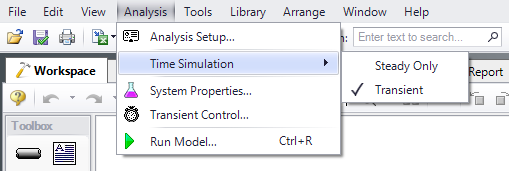
Figure 1: Time Simulation option in the Analysis menu
Related Examples