Analysis Setup Overview
Analysis Setup contains the settings required to run the model, including fluid properties, pipe and junction status, steady state and transient solution controls, pipe sectioning settings, force definitions, environmental conditions, and other related options. Access Analysis Setup from the Common Toolbar or the Analysis Menu.
In Analysis Setup, the navigation pane on the left side of the window (Figure 1) contains groups of controls. Each group has one or more items. Selecting an item opens the related panel.
A group is not fully defined until each item in that group is defined. Each group will have either a green check mark, indicating that all required items have been defined, or a red exclamation point, indicating that some or all of the required inputs are missing. Note that some groups will have a green checkmark by default, indicating that the required inputs have default settings already applied, or all inputs for that group are optional. Groups that are undefined will change to a green check mark when the required inputs for that group are entered, and the user navigates to a different panel. Note that none of the changes will be applied to the model until OK is selected. Clicking Cancel will discard all changes made in the window.
The groups in Analysis Setup are
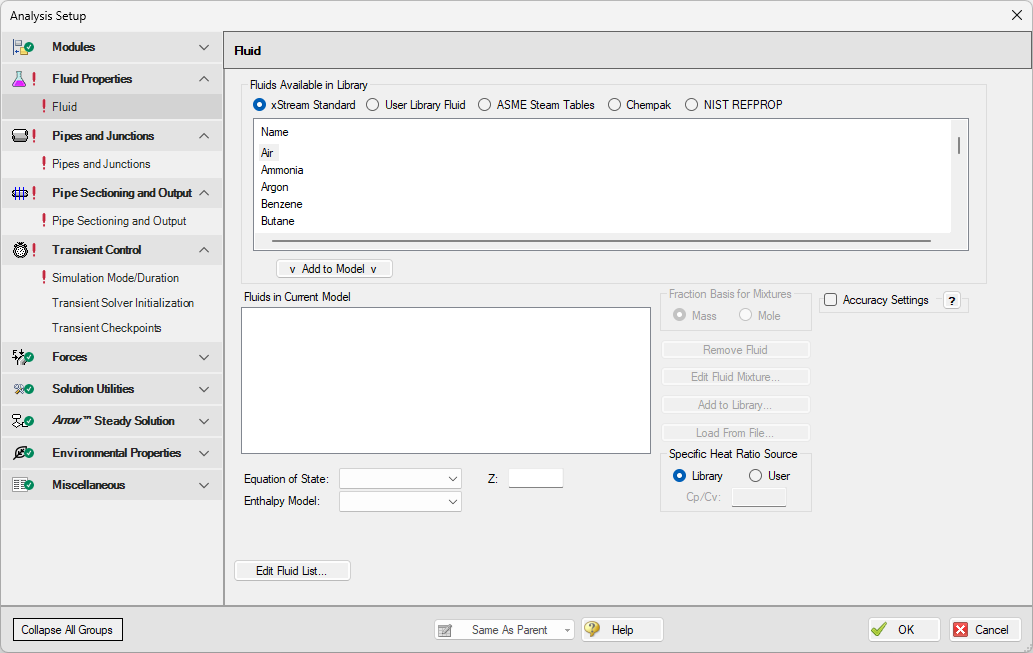
Figure 1: Default state of the Analysis Setup window in a new blank model